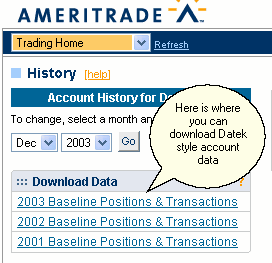
This method applies to the older Datek style Ameritrade Accounts
The first and best option applies if your brokerage supplies the information as a text or .csv file for download. In this case, there is simply a direct download of the data. An example of this option is the Datek style accounts (now at Ameritrade but they retain the Datek features). In that case, a user simply logs onto their Account. From the home page, one of the links in the drop down menu is for the account History.
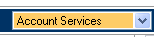 This is the drop down menu that has the History option.
Once on the History page, there is a link to download the 2003 baseline positions and transactions. Just by clicking on this link the user can download the data into a file that can be processed and matched with a script provided. Many other brokerages such as Scottrade provide a .csv download which works well.
Once you have the data downloaded move it to your Trades project file in order to match the provided script. The default name for the download is the name in the provided script.